.

How to Increase Your Laptop Speed? Simple Tips

Are You Struggling with your laptop bad performance? If your laptop running slow and you want to make your laptop run like a new laptop without spending money and time....

Virus protection is not enough to keep your System Safe

No matter how many times an anti-virus cleans an exploit,there's a good chance it will re-occur because the operating system itself has security holes, which the anti-virus cannot protect.

How to stop a fake antivirus Pop-Up

These pop-ups cycle is endless and interrupts the performance of your computer which is very frustrating. Fortunately, there is a process for getting rid of these fake anti-virus pop-ups. If you have any issues....

How to fix windows 7 from restarting

However, many users complain that Windows 7 keeps restarting in their computer. This problem is not very difficult to fix. In this blog we have tried to explain how to fix...

How to make Windows 7 run faster

If you are trying really hard to make Windows 7 faster and usually you get frustrated working on your slow computer. So find here couple of tips which may help you to make Windows 7 faster..

free virus scan

How to Outlook

Showing posts with label internet explorer content advisor password. Show all posts

May 22, 2012

Remove Internet Explorer content advisor password


Today, the Internet is full of many websites and images that anyone at any age can view, intentionally or not. In order to protect or limit the websites people can view, Microsoft added a feature known as Content Advisor that works with Internet Explorer, the most commonly used web browser on the Internet.
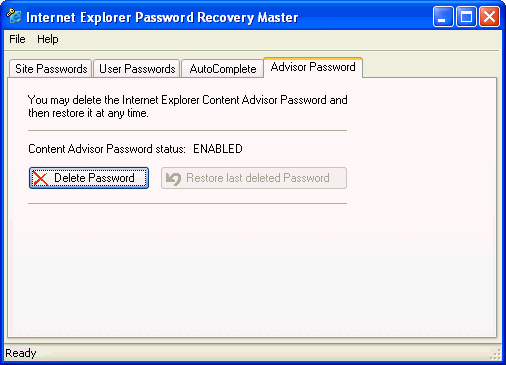
Remove internet explorer content advisor password
The Content Advisor in Internet Explorer is a fine example of good intentions sometimes leading to undesirable consequences. As users surf the Web under the watchful Content Advisor's eye, there will likely come a point where the restrictions imposed will become undesirable, even if only temporarily. Also find here additional info, how to turn off the Warnings for Internet Explorer on Windows 7.

So in this Microsoft help blog, we are sharing here some tips to remove internet explorer content advisor Password. If you are familiar with registry editor then it is a easy task for you, just follow easy steps to fix this windows problem in internet explorer -

Step 1: Go to 'Run' and open 'regedit.exe' and search the key:

'HKEY_LOCAL_MACHINE\SOFTWARE\Microsoft\Windows\CurrentVersion\Policies\Ratings'

Now delete this key with right click option.

Step 2: Go to 'Internet Explorer->Tools->Internet Options->Content' and disable content advisor here.

This simple Windows Registry hack will disable the Internet Explorer Content advisor and return Internet Explorer to its default state. Also find here Why Internet Explorer can not download files.

Comprehensive Support